The new VendorBay approval workflow gives healthcare teams a simple way to add purchasing control before orders are placed.
Instead of carts going straight to checkout, users can now submit a cart for approval. Approvers review what’s being ordered, quantities, and spend, then approve or reject the request. This keeps purchasing clean—especially for higher-value orders, multi-location teams, or environments where multiple departments order regularly.
If you manage purchasing for a clinic, retirement home, or nursing home, the goal is straightforward: more control, less follow-up.
What is the VendorBay approval workflow?
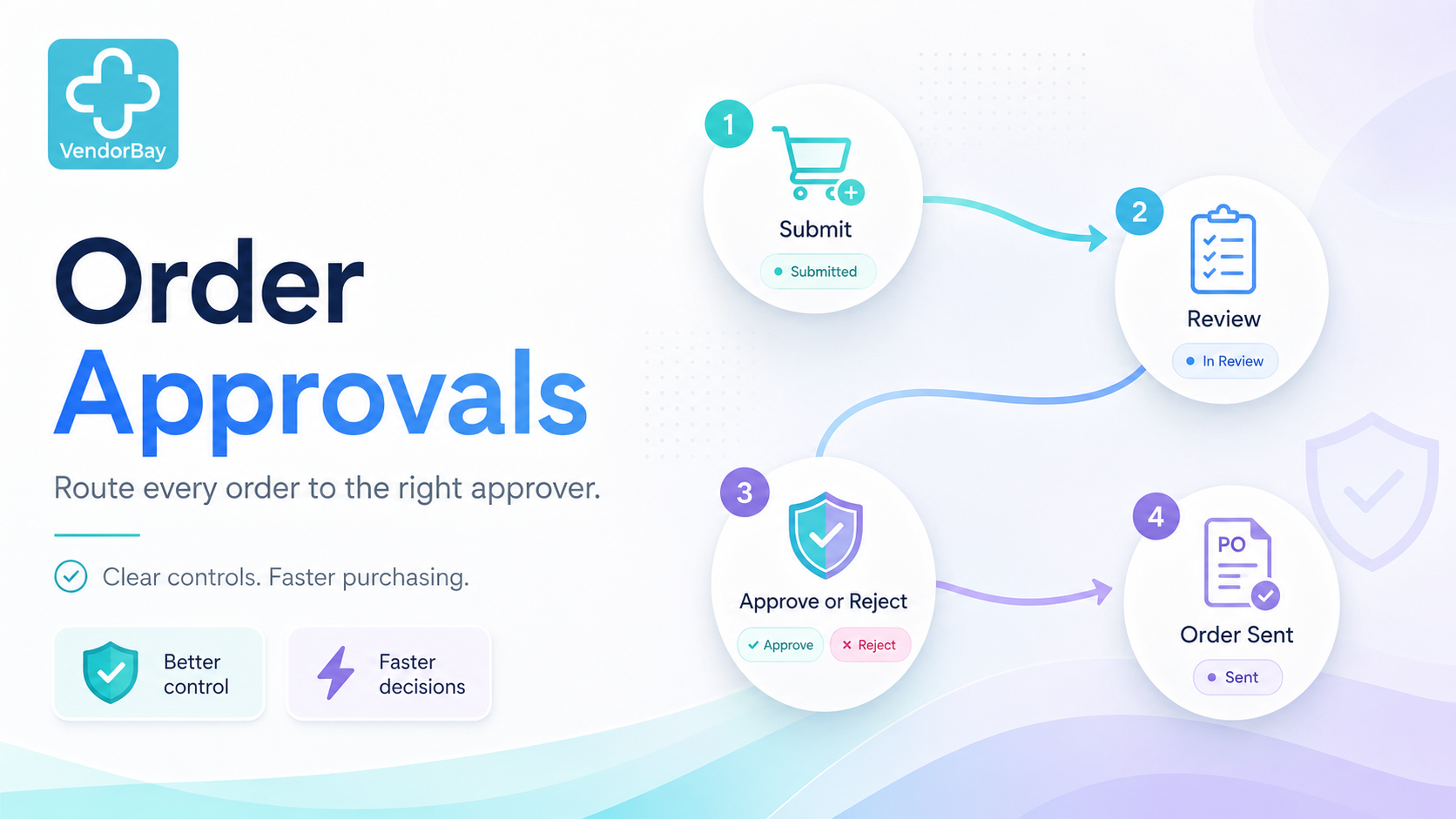
The VendorBay approval workflow is a pre-checkout approval process:
- Users build a cart
- They submit for approval instead of checking out
- An approver reviews the request
- The approver approves or rejects
- Approved carts move forward to ordering
Why approvals matter in healthcare purchasing
Multiple people order, one person owns the budget
Front desk staff, department leads, and clinicians often place orders—but managers need visibility and control.
Department purchases drift quickly
Without approvals, non-standard items can become the new normal, premium upgrades can spread, and duplicate orders can slip through.
Multi-location teams need consistent oversight
If you manage multiple sites, approvals help ensure orders follow the same rules across locations.
VendorBay approval workflow: step-by-step
Step 1 — Submit the cart
Users build a cart as usual. Instead of checking out, they click Submit for Approval. The cart becomes a request (not an order yet) and is routed to the right approver.
Step 2 — Review the request
Approvers review items, quantities, and spend. This makes it easy to catch non-standard items, unusual quantities, duplicates, or requests that should be consolidated into a routine order.
Step 3 — Approve or reject
Approvers choose Approve to move the cart forward or Reject to decline the request (often with a reason). This prevents spend drift and keeps purchasing consistent.
What happens after approval?
Once approved, the cart is cleared to move forward in your purchasing process. VendorBay also keeps a clean record of who requested and who approved the purchase—helpful for oversight, reporting, and internal controls.
Best-practice setups
Medical clinics
- Requesters: front desk / clinical lead
- Approver: office manager or clinic manager
- Use approvals for higher-value orders or exceptions
Long-term care homes
- Requesters: Nursing, Dietary, Housekeeping leads
- Approver: administrator or department manager
- Use approvals to reduce duplicates and substitutions
Multi-location organizations
- Site-level requesters with centralized visibility
- Approvals for high-value orders and exceptions
- Consistent purchasing rules across locations
Want to see the VendorBay approval workflow live? Book a 10-minute demo and we’ll walk through the requester and approver experience.
Learn more: How VendorBay Works • Clinic procurement • LTC procurement
Next step
Book a 10-minute demo to see how VendorBay approval workflow adds spend control without slowing your team down.